Hardware Firmware Flashing Instructions
- Install Drivers
- CH340 serial chip driver: https://www.wch.cn/downloads/CH341SER_EXE.html
- CH343 serial chip driver: https://www.wch.cn/downloads/CH343SER_EXE.html
- Simply run the downloaded file after downloading
- Download Flash Tool
- https://dl.espressif.com/public/flash_download_tool.zip
- Extract and run
- Usage Instructions:
- https://docs.espressif.com/projects/esp-test-tools/zh_CN/latest/esp32/production_stage/tools/flash_download_tool.html#id5
- In step 3 of the instructions, modify the COM port. Other settings remain unchanged.
- Download Firmware
- https://github.com/jiandanzhineng/hardware/releases/latest
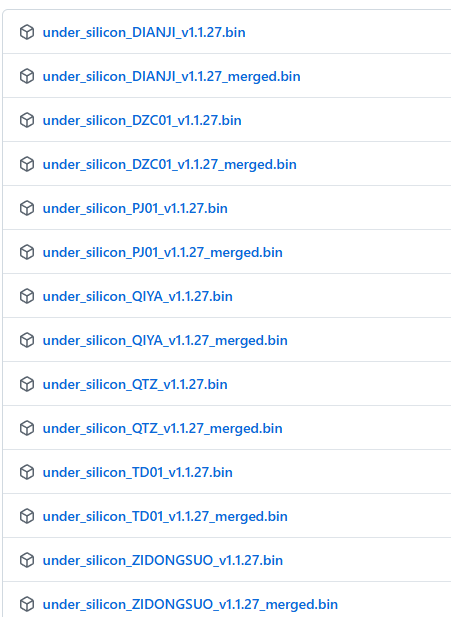
- Download the firmware according to your device type (Download the firmware with "merged" in its name): DIANJI - electric motor, QIYA - air pressure sensor, TD01 - off-axis motor controller, QTZ - distance sensor
- Use the tool to flash the firmware to address 0x0 on the device